For cafés and restaurants in Nepal
From the table to the bill, on one screen.
Guests scan or tap at their table and order from your menu on their own phone. Your staff accept it, the kitchen sees it, and the bill comes out with your PAN and VAT. Nobody installs an app.
How a table orders
Each table has a QR code, or an NFC sticker a phone reads with one tap. It opens your menu with the table already known.
Guests choose dishes, sizes and extras from your own menu, with photos, veg and non-veg marks and allergens.
The order arrives on your screen as a kitchen slip. Staff accept or decline it, and the guest's phone says which.
One ticket per visit, however many rounds. Settle by cash, card, eSewa, Khalti or FonePay, and print a VAT bill with your PAN.
One visit, start to finish: a table, a phone, a kitchen slip, a bill.
What's in it
Everything a café runs on during service, and nothing it has to learn twice.
ADuring service
- Table ordering
- A QR code and an NFC tag for every table. Guests order from their own phone with the table already known, and nothing reaches the kitchen until your staff accept it.
- Order board
- Every ticket on one live screen, from "to accept" to "in the kitchen", "ready" and "to pay". It updates by itself, and staff can be alerted on their phone.
- Floor plan
- Draw your rooms, floors and tables once, then see at a glance which are seated, ordering or waiting to pay.
- Counter orders
- Staff take orders for guests without a phone, and for takeaway, on the same ticket and the same bill.
BMoney
- VAT bills
- VAT and service charge the way Nepal counts them, added on top or already in the price. Your PAN on every bill, and invoice numbers that never skip, by fiscal year.
- Payments
- Cash, card, eSewa, Khalti or FonePay, or a mix — split one bill into several payments, and void a mistake with a reason on record.
- Discounts
- Happy hours, festival offers, a category or a single dish, a minimum spend. Applied to every bill automatically, never from memory.
- Reports
- Sales by day, by dish and by hour, what was sold against what was taken, and what your discounts cost you.
CYour guests
- Menu
- Categories, photos, sizes and extras, veg and non-veg marks, and allergens worked out from ingredients. Mark a dish sold out and every table sees it at once.
- Your website
- A site at your-cafe.nepalimenu.com with your menu, hours, map and offers, in one of nine designs, ready for Google. It is also what the QR code opens.
- Rewards
- Points, punch cards and a spin wheel for regulars, who sign in with Google. A report shows what each one gave away.
- In Nepali too
- Write dishes in Nepali, English or both. Guests switch language on your site and find a dish typed either way.
DRunning the café
- Staff and roles
- Invite staff by email. Owners, managers, waiters and the kitchen each see only what their job needs.
- Branches
- More than one branch under one login, each with its own menu, tables, prices and website.
- Setup guide
- A checklist from sign-up to the first order, with how far along you are, so nothing is forgotten on opening day.
- Runs on what you have
- Any phone, tablet or computer with a browser. Install it on the counter tablet like an app; nothing to buy.
Made for how cafés work here
- APrices in rupees, 13% VAT and 10% service charge — added on top or already in the price, as you choose.
- BInvoices numbered by Nepal's fiscal year.
- CLight on a slow connection: plain web pages, not an app download.
- DWrite your menu in Nepali and it reads in Nepali — सेल रोटी stays सेल रोटी.
Every café gets its own website
Your menu, hours, location and offers on a site of your own, in one of nine designs. It is also what the QR code on the table opens, so there is one menu to keep up to date.
See the demo café's sitedemo café
Pick the one that suits your café and change it whenever you like — your menu stays the same. Each picture is the demo café's real menu, in that design, on a phone.
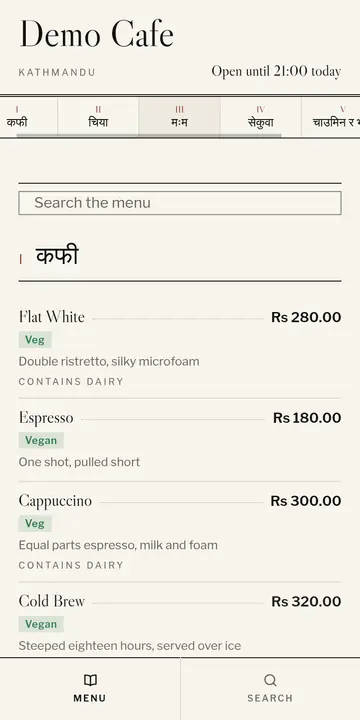
PressEvery planEditorial. A typographic menu, no photographs in the list. 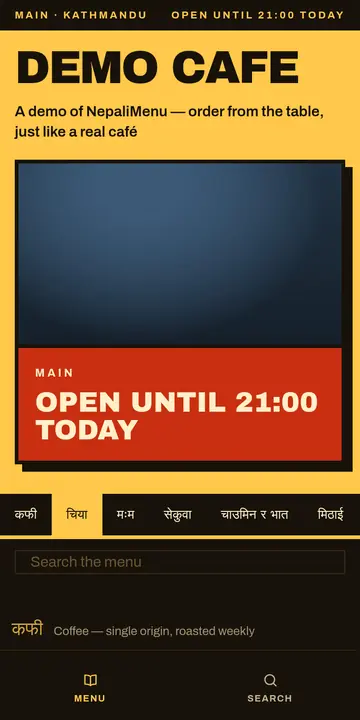
StallEvery planStreet food. A painted price board, built for a queue. 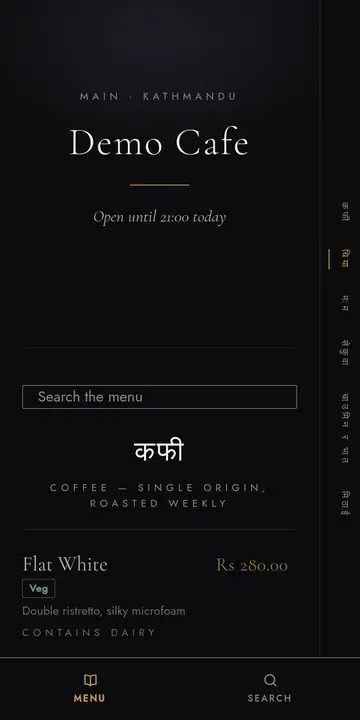
After HoursEvery planLate night. Near-black and brass, centred. 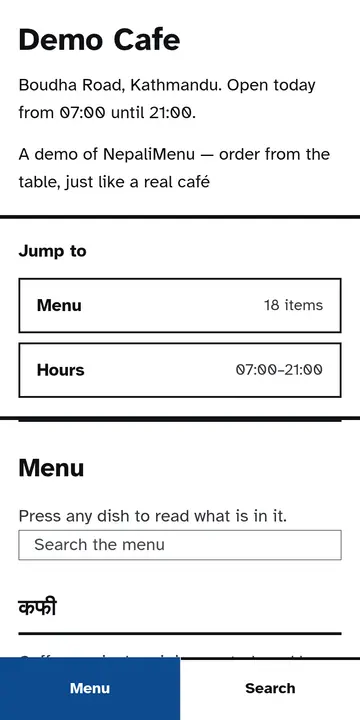
PlainEvery planAccessible. One column, large type, whole-row targets. 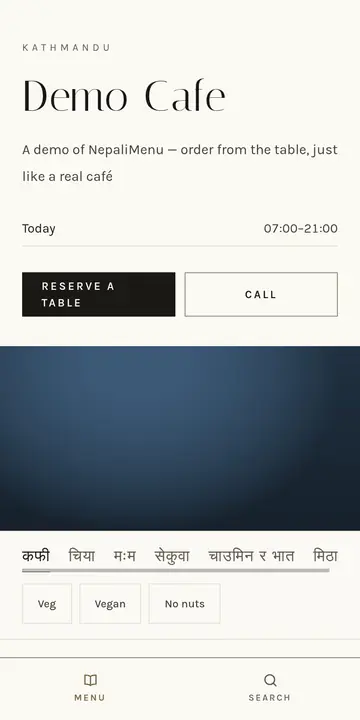
AtelierPremiumQuiet luxury. Reservations, favourites, dietary filters. 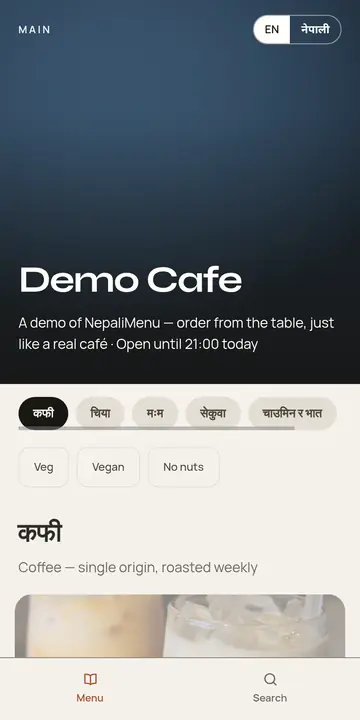
MaisonPremiumPhoto-led. Chef's picks, filters, English and Nepali. 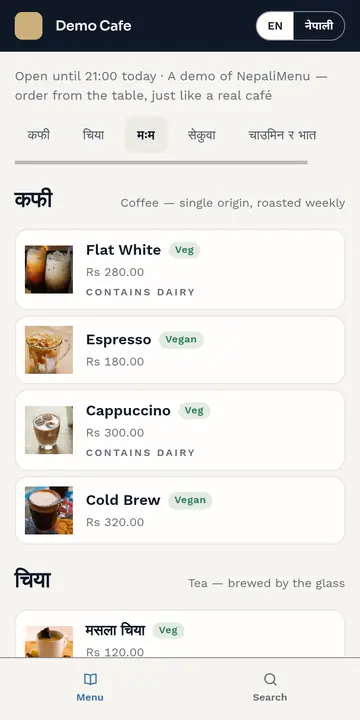
ConciergePremiumTable console. A live order rail and the table total. 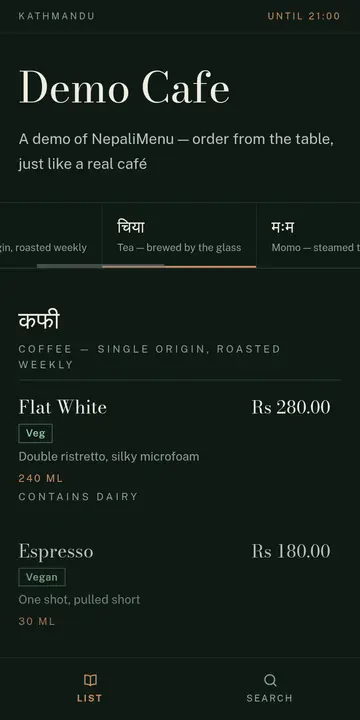
NightcapPremiumThe evening list. Sections run down an hour axis. 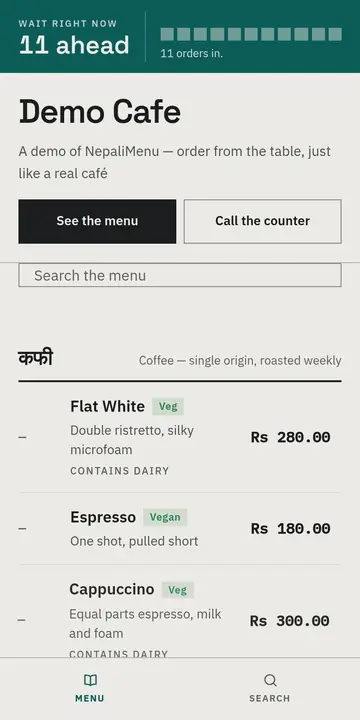
CounterPremiumSorted by wait. A live queue and prep times.
Pricing
30 days free
Every café starts with 30 days free, with everything switched on. After that, the plan depends on what you use and how many branches you run. Tell us about your café and we will suggest one.
Stop paying and your café moves to the free plan. Your menu and your records stay.
Questions
Do guests need to install an app?
No. The QR code or NFC tag opens a web page, so any phone with a browser works.
What if a guest doesn't have a phone?
Staff take the order on the dashboard as usual. It goes on the same ticket and the same bill.
Can guests order something we've run out of?
No. Mark an item sold out and every table sees it at once.
Do we need special hardware?
A phone, tablet or computer at the counter. NFC stickers are optional — QR codes work on their own.
Can we run more than one branch?
Yes. Each branch has its own menu, tables and site, under one login.
How long does setting up take?
Most of it is typing in your menu. Your tables, QR codes and website follow from that.
Talk to us
Questions, a demo at your café, or pricing — send us a message and a person will answer, usually within a day.
Or write to [email protected]